Unlocking Potential: The Power of WordPress Plugins
As we continue to shape the future of the digital realm, the boundaries of what’s possible are constantly shifting. As developers, designers, and digital marketers, we navigate this expansive landscape with agility and innovation. Among the many tools in our repertoire, one shines with a particularly broad spectrum of applications – WordPress Plugins.
WordPress, one of the most utilized Content Management Systems (CMS) across the globe, owes a significant portion of its popularity to its customizable nature. At the heart of this flexibility are plugins – additional pieces of software that can be installed to extend and expand the functionality of your WordPress website.
The Power of Plugins
Plugins are the secret ingredients to tailoring your website to perfection. Need an SEO boost? There’s a plugin for that. E-commerce? There’s a plugin for that. User interface enhancements, security features, social media integration – the list is endless. The WordPress Plugin Directory alone houses over 50,000 plugins, and that’s not including premium plugins available from third-party developers.
The real beauty of WordPress plugins is their accessibility. With minimal technical knowledge, anyone can install and manage them. They democratize advanced website features, empowering everyone from small business owners to individual bloggers to create dynamic and user-friendly sites.
Picking the Right Plugin
With such an overwhelming array of options, how do you choose the right plugin for your needs? Here are a few key factors to consider:
- Functionality: Determine the specific functionality you need for your website. This will help narrow down your search considerably.
- Reviews and Ratings: A plugin’s reviews and ratings provide insight into its reliability and performance. Always check these before installing.
- Updates and Support: Make sure the plugin is regularly updated and has a support team to help if you run into any issues.
- Compatibility: Ensure the plugin is compatible with your version of WordPress to prevent any potential conflicts or functionality issues.
- Premium vs. Free: While there are plenty of effective free plugins, premium versions can offer more features and dedicated support.
A Note of Caution
While plugins are an invaluable resource, it’s crucial to remember that they should be used responsibly. Adding too many plugins can lead to slower site speed and possible security vulnerabilities. It’s all about finding the balance between functionality and performance.
Some Plugins Examples –
Here are some examples of WordPress plugins that have proven their worth by providing essential functionality and improving user experience.
- Yoast SEO: This plugin is a must for any WordPress website. It’s a comprehensive tool that helps you optimize your site for search engines. It provides a real-time analysis of your content, ensuring it’s SEO-friendly.
- WooCommerce: If you’re running an online store, WooCommerce is the WordPress plugin for you. It offers complete e-commerce solutions, including product listing, cart functionality, payments, and shipping options.
- Jetpack: This is a powerful plugin that provides a variety of features, including site statistics, SEO tools, security features, and more. It’s like a toolbox for your WordPress website.
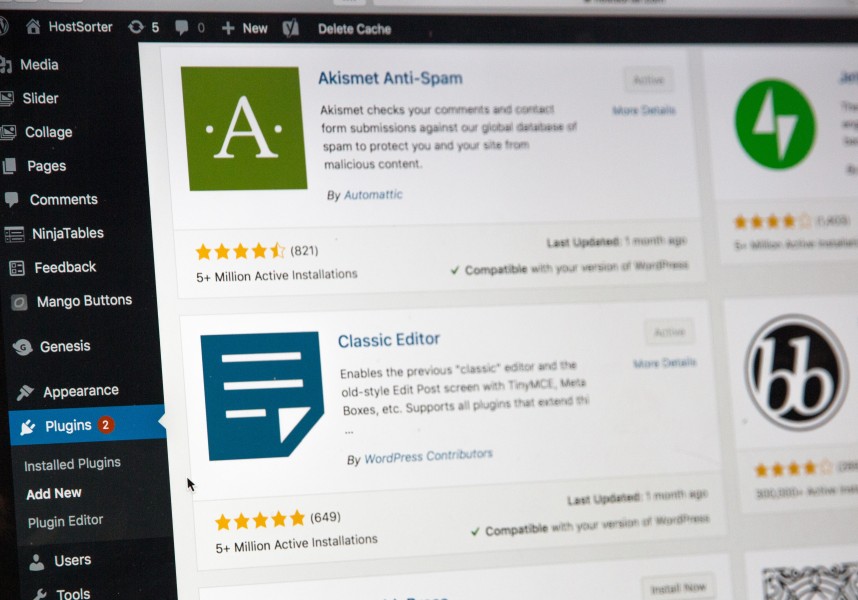
- Akismet Anti-Spam: Spam can be a significant issue for any website. Akismet helps filter out spam comments automatically, protecting your site from potential threats.
- Wordfence Security: This is a comprehensive security plugin that includes an endpoint firewall and malware scanner to protect your WordPress site.
- Contact Form 7: This plugin allows you to create and manage multiple contact forms. It’s flexible and customizable, so you can adjust the forms to meet your specific needs.
- Elementor: This is a drag-and-drop page builder plugin that allows you to create stunning pages without any coding knowledge. It’s user-friendly and comes with a variety of templates and widgets.
- Smush: Images are crucial for any website, but they can also slow down your site. Smush helps optimize your images, reducing their file size without losing quality.
- UpdraftPlus: Regularly backing up your website is essential, and that’s what UpdraftPlus offers. It allows you to backup and restore your site with a single click.
- WP Super Cache: This plugin generates static html files from your dynamic WordPress blog, drastically improving the loading time of your website.
Remember, these are just examples. The right plugins for your site will depend on your unique needs and goals. Always remember to carefully consider each plugin’s functionality, compatibility with your version of WordPress, and the overall performance implications before adding them to your site.
Conclusion
Whether you’re just starting your digital journey or a seasoned web professional, WordPress plugins offer an unparalleled opportunity to tailor your website to your unique requirements. They unlock the full potential of WordPress, allowing you to create a site that not only looks good but also functions optimally.
Remember, while the possibilities with plugins are nearly limitless, so too should be our responsibility in using them. So go forth, explore the rich world of plugins, and shape your corner of the web as you see fit.
Here’s to harnessing the power of WordPress plugins to create more dynamic, effective, and engaging websites!